Nutanix Prism Central Audit Tool
A comprehensive audit solution with a modern interface, detailed Excel reports, and advanced analytics for your Nutanix environments.
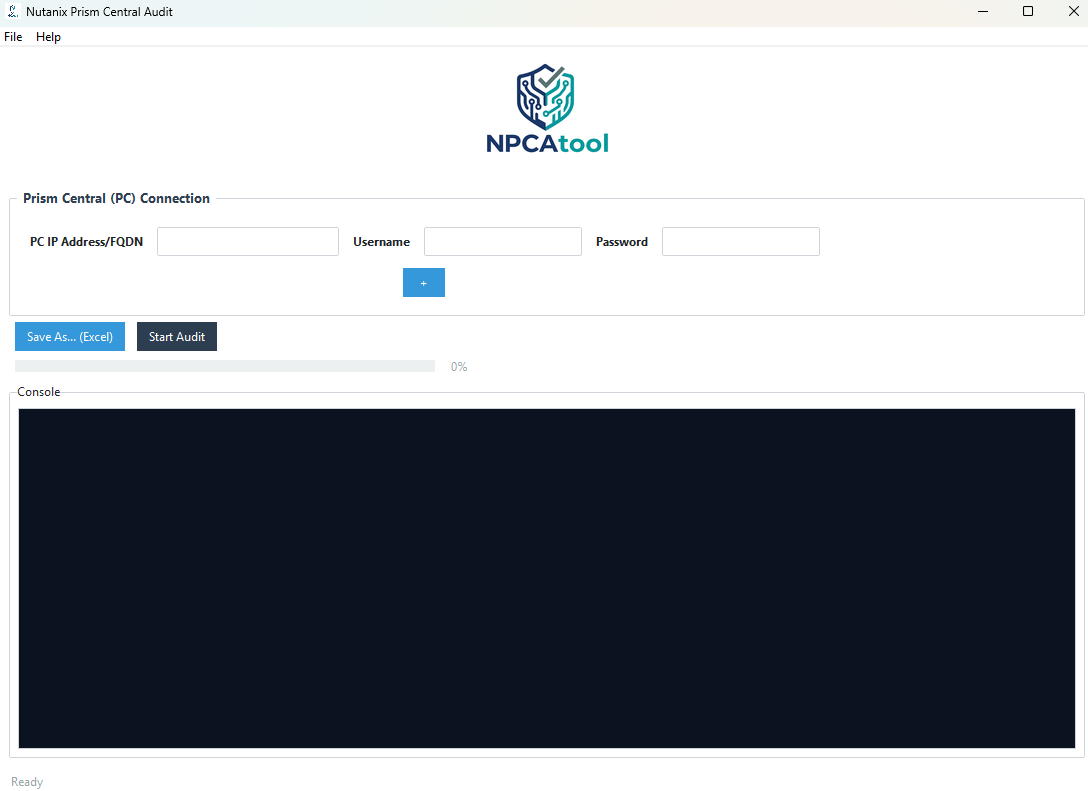
A comprehensive audit solution with a modern interface, detailed Excel reports, and advanced analytics for your Nutanix environments.
NPCAtool provides a comprehensive audit suite to optimize and secure your Nutanix infrastructure.
Simultaneous data collection from multiple Prism Central instances for a complete infrastructure overview.
Automatic export with in-depth analysis of VMs, Clusters, Security, Capacity, RBAC, and Data Protection.
Enterprise-grade user interface with a modern theme for an optimal user experience.
A secure and reliable application to audit your Nutanix infrastructure while ensuring data protection.
Automatic verification of credentials and connectivity before the audit to prevent errors.
Parallel data collection (multi-threading) for fast and efficient audits.
Excel reports with detailed analysis sheets.
Overview of Prism Central including cluster inventory, VM statistics, and system configuration.
Detailed list of virtual machines with CPU, memory, storage, and power state configuration.
Inventory of managed clusters with capacity utilization, AOS versions, and effective storage capacity.
Inventory of physical servers with hardware specifications, hypervisor version, and cluster assignment.
Catalog of VM images with deployment status and metadata.
Taxonomy and categorization system for resource organization.
Network configuration with VLAN and IP pool management.
Analysis of security compliance and configuration.
NPCAtool is an independently developed audit and reporting tool designed for Nutanix Prism Central environments. It collects system data, generates structured reports, and provides insights into configuration, capacity, performance, and security.
This software is not affiliated with, supported, or endorsed by Nutanix.
Yes. NPCAtool is available at no cost. It is independently developed and not affiliated with or endorsed by Nutanix.
Yes. NPCAtool can also be executed in Command Line Interface (CLI) mode, allowing automated audits, scripting, and integration with external tools.
Below are some examples of common CLI usages:
This is the standard command to generate a report for a single Prism Central instance:
.\NPCAtool.exe --pc 10.1.1.50 --user admin --password MyPassword --out "C:\Reports\Audit_PC.xlsx" --ignore-sslYou can audit multiple Prism Central instances in a single run by repeating the --pc argument. The tool will collect data from all targets and generate one consolidated report.
.\NPCAtool.exe --pc 10.1.1.50 --pc 10.2.2.50 --pc 10.3.3.50 --user admin --password MyPassword --out "C:\Reports\Global_Audit.xlsx" --ignore-sslNote: This command assumes that the same username and password work for all targeted Prism Central instances.
Support is available through the contact details on this website.
Feel free to reach out for any assistance or feature requests.
Get the ultimate audit solution for your Nutanix infrastructure.
Latest Version
False positives from antivirus software may occur as the application is not digitally signed. You can safely whitelist the application in your antivirus settings.
Have questions or feedback? We'd love to hear from you.
For support, feature requests, or any other inquiries, please email us at:
yassine.gaouti@gmail.com